訂購產品一般會在 4個工作日內送抵臺灣 (視地點而定)。
訂購金額達 新臺幣1400元或以上即可免費運送至臺灣。 訂單金額低於 新臺幣1400元則需收取運費 600元。
UPS 運費預付: DDP (關稅由 DigiKey 支付,稅賦在送達時收取)僅接受以信用卡和 PayPal 付款。
FedEx 或 DHL 運費預付: CPT (相關稅賦與關稅在送達時收取) 僅接受以信用卡和 PayPal 付款。
![]()
![]()
![]()
![]()


來自完整授權夥伴的更多產品
平均到貨時間為 1 至 3 天,可能需支付額外運費。 請參見產品頁面、購物車與結帳畫面瞭解實際的運送時程。
國貿條規:CPT (關稅和適用的 VAT/稅賦會在送達時收取)
如需更多資訊,請造訪說明與支援
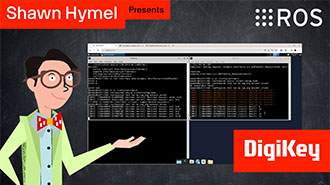
In this tutorial, we’ll demonstrate how to set up a communication channel between a ROS 2 node running on a Raspberry Pi and an Arduino-compatible microcontroller to control a simple robot.
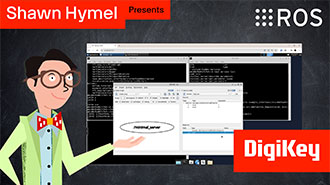
In this tutorial, we take the next step and create a complete system using both TF2 broadcasters and listeners.
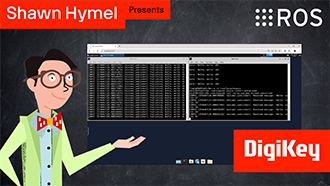
In this tutorial, we begin working with TF2, the ROS 2 library that handles coordinate transformations.
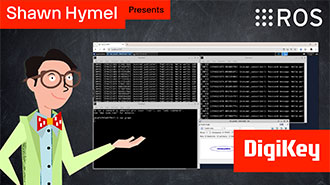
In this tutorial, we’ll explore how ROS 2 launch files simplify node orchestration.
In this tutorial, we'll explore how to use parameters in ROS 2 to dynamically configure nodes.
In this episode, we’ll go one step further by creating and using custom interfaces in both Python and C++. You’ll learn how to define your own message and service types and use them in publisher/subscriber and client/server architectures.
In this tutorial, we will see how services work by creating a custom server and client in C++ ROS nodes.
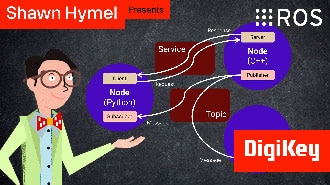
In this tutorial, we will see how services work by creating a custom server and client in Python ROS nodes.
In this tutorial, we’ll walk through how to write ROS 2 nodes in C++ that communicate using the publish/subscribe model.
This tutorial will walk you through creating a publisher and subscriber from scratch using ROS 2’s Python client library, rclpy.
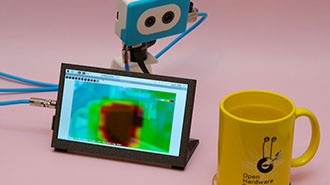
This project fuses the Raspberry Pi's camera feed with a thermal graphic overlay.
In this tutorial, we’ll dive into one of the most essential parts of working with ROS 2: the command-line interface (CLI). Before writing any code, it’s important to understand the basic tools that ROS 2 provides for exploring, debugging, and interacting with nodes, topics, and services.
請造訪本網站的「說明與支援」,取得訂購、出貨、運送等相關資訊。
已註冊使用者可在帳戶的下拉式選單中追蹤訂單狀態,或按此查看。 *訂單狀態可能要在下訂單後 12 小時才會更新。
使用者可在退貨頁面中開始辦理退貨流程。
已註冊使用者可在 myLists 中建立報價單。
請前往註冊頁面,然後填入必要資訊。 註冊完成後,會收到確認電子郵件。
訂購產品一般會在 4個工作日內送抵臺灣 (視地點而定)。
訂購金額達 新臺幣1400元或以上即可免費運送至臺灣。 訂單金額低於 新臺幣1400元則需收取運費 600元。
UPS 運費預付: DDP (關稅由 DigiKey 支付,稅賦在送達時收取)僅接受以信用卡和 PayPal 付款。
FedEx 或 DHL 運費預付: CPT (相關稅賦與關稅在送達時收取) 僅接受以信用卡和 PayPal 付款。
![]()
![]()
![]()
![]()


來自完整授權夥伴的更多產品
平均到貨時間為 1 至 3 天,可能需支付額外運費。 請參見產品頁面、購物車與結帳畫面瞭解實際的運送時程。
國貿條規:CPT (關稅和適用的 VAT/稅賦會在送達時收取)
如需更多資訊,請造訪說明與支援
感謝您!
時常檢查您的收件匣,取得 DigiKey 的最新消息與通知!
請輸入電子郵件地址
請勾選核取方塊