設定
設定
 快速送達
快速送達
訂購產品一般會在 4個工作日內送抵臺灣 (視地點而定)。
 免運費
免運費
訂購金額達 新臺幣1400元或以上即可免費運送至臺灣。 訂單金額低於 新臺幣1400元則需收取運費 600元。
 國貿條規
國貿條規
UPS 運費預付: DDP (關稅由 DigiKey 支付,稅賦在送達時收取)僅接受以信用卡和 PayPal 付款。
FedEx 或 DHL 運費預付: CPT (相關稅賦與關稅在送達時收取) 僅接受以信用卡和 PayPal 付款。
 付款類型
付款類型


 商城產品
商城產品
來自完整授權夥伴的更多產品
平均到貨時間為 1 至 3 天,可能需支付額外運費。 請參見產品頁面、購物車與結帳畫面瞭解實際的運送時程。
國貿條規:CPT (關稅和適用的 VAT/稅賦會在送達時收取)
如需更多資訊,請造訪說明與支援


For the budding Roboteer, learning how to add and control actuators is a key skill. In this guide, we are going to take a look at our servo driven Klaw actuator,* and show you how to control it via code.

We recently launched the Kitronik Simple Servo Control Board for BBC micro:bit, and Emma wasted no time in putting together three great resources for it. We've included all three resources below, with all of the files needed and step by step instructions for each.
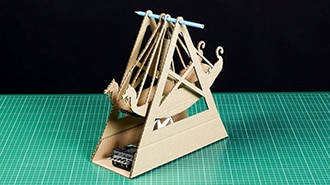
Follow along with Emma and learn how to make your own. We've kept ours plain but it's the perfect platform for a spot of decoration. Let's get making...

Emma guides you through how she made each of the following projects, and we've provided you with all of the necessary DXFs, PDFs, Illustrator Files, and HEX files. Read on to find out more.
感謝您!
時常檢查您的收件匣,取得 DigiKey 的最新消息與通知!
請輸入電子郵件地址
請勾選核取方塊